Describe it. Vatt cuts it.
Drop in your reaction and the video you reacted to, then ask for the edit in one line. Vatt syncs them, finds your best moments, lays out each one and adds your captions.
 Original
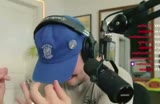 Reaction
Example prompts: Edit this into a reaction video. Open with my best moments. Zoom in on the big reactions.
Describe what you want
Attach your footage and say the edit you have in mind, in plain words.
Vatt builds the first cut
It finds your best reactions, lays out each moment and adds your captions.
See every change
Everything Vatt changes is highlighted on the timeline, and one Undo takes it back.
01 · Record + Edit
Record the video and you. In one take.
Pick the video and your camera, then press record. You get two tracks from the same take, straight in your project. No second device. Nothing to sync.
02 · Highlight Edit
Stop scrubbing for your best reactions.
Vatt listens for laughs, pauses and big lines, checks your face, and cuts each moment without clipping your words. Open with them as a hook, or keep only the highlights as their own video.
03 · Smart Layout
The layout follows your reactions.
No more resizing your facecam clip by clip. The video plays? It fills the frame. Big laugh? Side by side. You talk? You lead. Each layout holds long enough not to flicker, and you can change any segment.
04 · Every platform Coming soon
Edit once. Fit every screen.
Switch to 9:16 or 1:1 and Vatt refits the layout to the new frame, so you never rebuild the vertical cut by hand. Export for YouTube, then for TikTok, Reels and Shorts.
